Dome vs Bullet vs PTZ CCTV Camera — Which One Do You Need?
October 31, 2026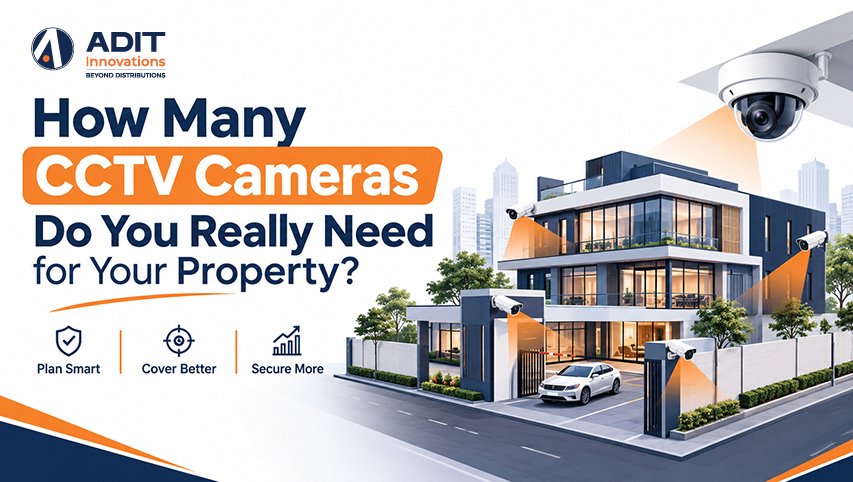
Why the Camera Count Depends on the Property
There is no single number that suits every property. The count depends on the layout, the number of entry points, the purpose of surveillance, and the level of detail needed in each area. Two cameras may cover a compact apartment well, while a factory with a long perimeter may need dozens.
A practical approach is to plan a CCTV camera system by zones instead of by square footage. Each zone has a defined job, and each CCTV camera is placed to do it. This keeps the system focused, avoids overlapping views that add cost without adding information, and leaves fewer unmonitored gaps.
The Adit Innovations team, which works as an electronic security distributor in India, prepared this guide to explain the planning logic in simple terms so that readers can estimate their requirements before speaking with an installer. Readers who want a refresher on camera categories can first read our CCTV camera guide on types, features and how to choose.
The Four Zone Method for Counting Cameras in a CCTV Camera System
Most properties can be divided into four zones. Counting the cameras needed in each zone and adding the results gives a reliable starting estimate.
Zone 1: Entry and exit points. Every main door, gate, and service entrance benefits from one camera that captures faces or vehicles. This is the highest priority zone, since every person and vehicle passes through it.
Zone 2 Perimeter. Boundary walls, fences, and building corners are covered so that activity near the property is recorded. A camera at each corner of a rectangular boundary usually covers the sides when the walls are within the camera range.
Zone 3: Interior circulation areas. Corridors, staircases, lobbies, and open floors are covered to record movement between spaces. One dome camera typically covers one corridor junction or one open room, which makes domes a common security camera for office interiors.
Zone 4: High-value areas. Cash counters, server rooms, storage rooms, medicine stores, and equipment yards receive dedicated cameras with the detail needed to review events clearly.
A simple formula summarizes the method.
Total cameras = entry points + perimeter corners + interior junctions + high-value areas
Example. A two-story house has a main gate, a rear door, a four-sided boundary, one staircase, and one ground-floor hallway. The count is 2 entry cameras, 2 perimeter cameras covering the boundary corners that are not already seen by the entry cameras, and 2 interior cameras, giving 6 cameras in total. The estimate is then refined using the coverage checks that follow.
Typical Camera Counts by Property Type
The table below offers planning ranges. Actual numbers vary with layout and requirements.
| Property type | Typical area | Typical camera count | Common focus |
| Apartment | 800 to 1,500 sq ft | 2 to 4 | Main door, balcony, living area |
| Independent house | 1,500 to 3,000 sq ft | 4 to 8 | Gate, doors, boundary, staircase |
| Retail shop | 800 to 2,000 sq ft | 4 to 8 | Entrance, sales floor, billing counter |
| Small office | 2,000 to 5,000 sq ft | 6 to 12 | Reception, corridors, server room |
| Large office floor | 5,000 to 10,000 sq ft | 12 to 24 | Entrances, open floors, restricted rooms |
| Warehouse | 10,000 to 30,000 sq ft | 10 to 30 | Gates, loading bays, perimeter, aisles |
| School or hospital campus | Varies | 30 and above | Gates, corridors, parking, grounds |
These ranges serve as a starting point for discussion with an installer, since each site has features that change the final plan. A large office floor or warehouse often reaches 16 cameras or more, which is where an NVR system 16 channel recorder becomes a natural fit.
Coverage Math with Pixel Density and a 4K IP Camera
After counting zones, each location is checked for coverage and detail. Pixel density, which is the number of pixels covering one meter of the scene, gives a measurable target. Surveillance planning guidance commonly refers to about 250 pixels per meter for identifying a person, about 125 for recognizing a known person, and about 62 for general observation.
A camera with 2560 pixels across the frame, which is a 4 MP camera, covers a scene about 10 meters wide at 250 pixels per meter. A 2 MP camera with 1920 pixels across covers about 7.7 meters, and a 4K IP camera, which is an 8 MP model with 3840 pixels across, covers about 15 meters.
| Camera resolution | Pixels across | Width at 250 px per meter | Width at 125 px per meter |
| 2 MP | 1920 | About 7.7 meters | About 15 meters |
| 4 MP | 2560 | About 10 meters | About 20 meters |
| 8 MP (4K) | 3840 | About 15 meters | About 30 meters |
Example. The shop entrance is 12 meters wide, and the goal is to identify people entering. One 4 MP camera covers about 10 meters at identification level, so the options are two 4 MP cameras or one 4K IP camera. The second option reduces the count, while the first provides overlap and a second viewing angle. The choice depends on the layout and the budget.
Lens choice affects coverage as well. A 2.8 mm lens gives a view of roughly 100 degrees, which suits rooms and corridors. A 6 mm lens gives a view of roughly 55 degrees, which suits gates and driveways where distance matters. Sites that use an ANPR camera system at a gate benefit from a fixed, narrow view, since a tighter angle helps read vehicle number plates.
Worked Examples for Common Properties
Example 1: a three-bedroom apartment. One 2 MP or 4 MP camera at the main door records visitors and deliveries. One camera covers the living room, which suits households that want visibility of common areas. A third camera covers the balcony or service door when it opens to a shared passage. Three cameras, with indoor placement kept to common areas, form a balanced setup. A wireless security camera can suit a rented apartment where cable routes are limited, with a strong Wi-Fi signal at the mounting point.
Example 2, a retail shop of 1,200 square feet. One 4 MP camera covers the entrance and records faces. Two 4 MP domes cover the sales floor from opposite ends, and one 4 MP camera covers the billing counter. One camera covers the stockroom door. The total is five cameras.
Example 3, an office of 6,000 square feet. Two cameras cover reception and the main entrance. Six to eight domes cover corridors and workspaces. One fisheye camera covers a cafeteria or open area, one camera covers the server room door, and two cameras cover the parking entry. The total is between 12 and 16 cameras, depending on the floor plan, and this mix provides practical security camera coverage for office needs.
Example 4: a warehouse of 20,000 square feet. Two cameras cover gates, two cover loading bays, and four to six cover the perimeter corners and long walls. Four to six cameras cover aisles and high-value storage, and one PTZ camera oversees the yard. The total is between 13 and 17 cameras.
A site survey confirms each number by checking sight lines, mounting positions, and cable routes. Readers planning a deployment can review the commercial CCTV installation process at Adit Innovations to understand each stage from survey to handover.
Matching Camera Types to Each Zone in an IP CCTV Camera System
Camera type follows the job of each zone, and an IP CCTV camera system allows each type to share one network and one recorder.
- Entry points suit bullet or turret cameras with a lens that matches the distance, and Wide Dynamic Range (WDR) helps at glass doors with strong sunlight
- Perimeters suit bullet cameras with IP66 or IP67 housings and infrared range of 30 meters or more
- Interior corridors and rooms suit dome cameras, which are compact and discreet
- Large open areas such as yards and parking lots suit PTZ cameras, with fixed cameras added at key points for continuous recording
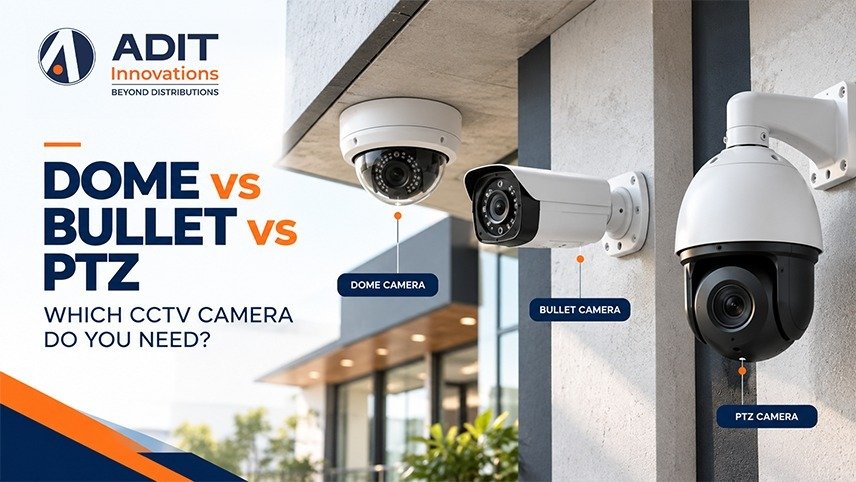
Our comparison of dome, bullet and PTZ cameras(internal link suggestion) explains these choices in more detail. Our article on IP cameras versus analog cameras explains why an IP camera system suits mixed layouts.
Sizing the NVR System: 16-Channel, Switch and Storage
The camera count also decides the size of the recorder, the network switch, and the storage.
Recorder channels. Recorders are commonly available with 4, 8, 16, 32, and 64 channels. A site with six cameras suits an 8-channel recorder, which leaves two channels open for later additions. A site with 12 to 14 cameras suits a 16-channel NVR system 16 channel recorder, which keeps spare channels for growth.
PoE switch ports. Power over Ethernet (PoE) switches carry both power and data to IP cameras. The switch should have enough ports for all cameras plus a few spare ports, and the power budget should match the cameras. Standard PoE supports cable runs of up to 100 meters, and quality UTP cable of pure copper supports steady delivery.
Storage. Continuous recording at 1 Mbps uses about 10.8 GB per day, so daily storage equals the bitrate in Mbps multiplied by 10.8.
Example. Eight 4 MP cameras using H.265 at about 2 Mbps each record about 21.6 GB per camera per day, which totals about 172.8 GB per day. A 30-day retention period needs about 5.2 TB, so a 6 TB surveillance-grade drive suits this setup. Sixteen cameras with the same settings record about 345.6 GB per day, and a 30-day period needs about 10.4 TB, so two 8 TB drives suit a 16-channel NVR system 16 channel recorder. H.265 compression typically lowers bitrate by roughly half compared with H.264 at similar quality, and motion-based recording can reduce usage in quiet areas.
Rack solutions for CCTV NVR units add ventilation, cable management, and a small uninterruptible power supply, which keep recording steady during short power interruptions. Video management software brings live view, playback search, and alerts from many cameras into one screen, and VMS security settings such as user roles and activity logs protect access to footage.
Planning for Growth with Integrated Security Systems
Properties change over time through new rooms, extra gates, and added staff. A plan that allows growth saves rework later. Choosing a recorder with two to four spare channels, selecting cameras that follow the ONVIF standard, and laying cable conduits with some spare capacity make later additions simple.
Larger sites can also link cameras with other systems. Fire alarm integration with CCTV opens the matching camera view when a detector raises an alert, and access control and time attendance systems let reviewers see the video that matches each door event. Planning conduits and network ports for these links at the start avoids later rework.
Cybersecurity practices such as changing default passwords, updating firmware, and limiting remote access to verified users apply to every added camera. Our article on securing surveillance networks covers these steps in more detail.
Takeaway
The right number of CCTV cameras comes from a clear count of entry points, perimeter areas, interior junctions, and high-value spaces, followed by a coverage check using pixel density. An apartment may need two to four cameras, a house four to eight, a shop four to eight, and larger sites more, with the recorder, switch, and storage sized to match. A short planning exercise, along with room for later additions, leads to a CCTV camera system that records the areas that matter without gaps or unnecessary overlap. When you are ready to compare options for your property, you can explore the CCTV camera range from Adit Innovations, or reach out through our Contact Us page to discuss the requirements of your site with our team.
FAQs
1. Does a larger property always need more cameras?
No, entry points and purpose often matter more than total area.
2. Can one 4K IP camera cover a wider scene than a 4 MP camera?
Yes, it covers about 15 meters at identification level against about 10 meters.
3. Does a 16-channel NVR system 16 channel recorder suit a growing office?
Yes, spare channels allow cameras to be added later without replacing the recorder.
4. Should every entry door have its own camera?
Yes, entry points record every person and vehicle that arrives.
5. Does the camera influence storage requirements?
Yes, each added camera increases the daily storage needed.