CCTV Camera Guide: Types, Features & How to Choose the Right One
October 16, 2026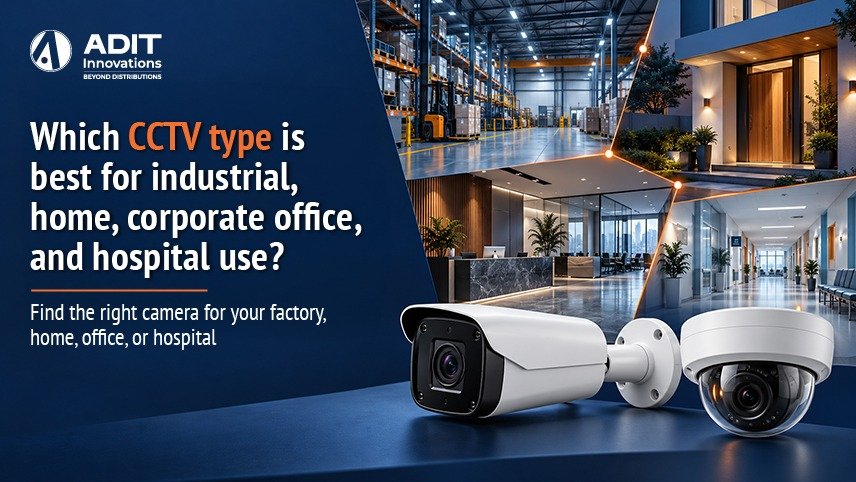
How Environment Shapes the Choice of CCTV
Choosing the right CCTV camera or CCTV camera system depends on the environment, surveillance purpose, and how footage will be used. Dust, temperature, lighting, privacy expectations, and the number of cameras all change from a factory floor to a living room. An IP camera system may suit sites that need high-resolution video and room to expand, while a wireless security camera can be practical in locations where running cables is difficult. For every site, the most suitable option depends on its specific requirements.
Four factors guide the decision in every setting.
● Purpose, such as general awareness, identification of people, or vehicle number plate capture
● Conditions, such as weather, dust, vibration, and lighting
● Scale, which decides the recorder, network, and storage size
● Rules, including privacy expectations and data retention needs
The Adit Innovations team prepared this guide to explain how these factors apply to four common settings. Readers who want a refresher on camera categories can first read our CCTV camera guide on types, features and how to choose.
Quick Comparison of CCTV Camera Saystem Types by Environment
| Environment | Primary camera types | Typical resolution | Key features to look for |
|---|---|---|---|
| Industrial | Bullet, PTZ, thermal, explosion protected | 4 MP to 8 MP | IP66 or IP67, IK10, wide temperature range |
| Home | Bullet, dome, compact indoor cameras | 2 MP to 4 MP | Colour night vision, two way audio, mobile app |
| Corporate office | Dome, turret, fisheye | 4 MP to 8 MP | WDR, analytics, ONVIF, access control integration |
| Hospital | Dome, vandal resistant dome, PTZ | 4 MP | Low light clarity, privacy masking, secure storage |
All four environments can benefit from IP technology, since an IP CCTV camera system supports high-resolution video, analytics, and expansion through a Network Video Recorder (NVR). Compared with some traditional DVR CCTV camera setups, an IP system uses network connectivity to manage video. Read more about available CCTV cameras and surveillance solutions. For compatibility information, see the official ONVIF website.
CCTV Camera for Industrial Sites
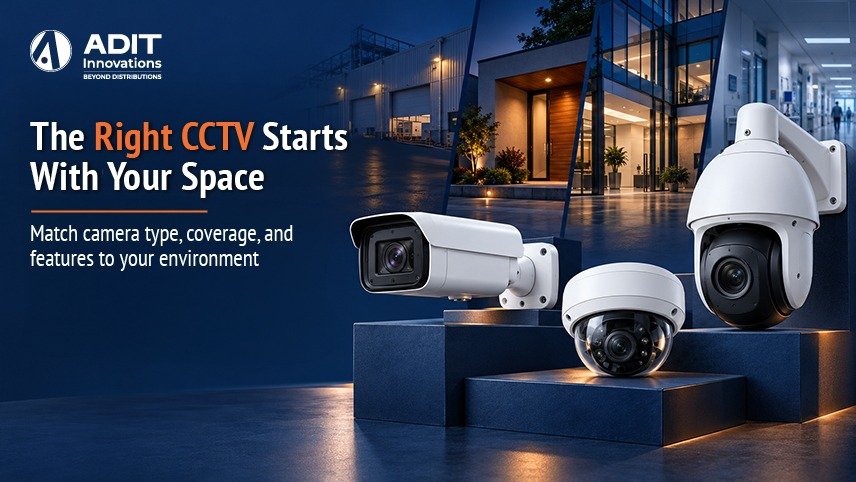
Industrial sites such as factories, warehouses, power plants, and logistics yards place cameras in demanding conditions. Dust, moisture, heat, vibration, and large open areas all influence the choice. An IP camera system with suitable weather protection can support these environments, while an ANPR camera system is useful at vehicle gates where number plate capture is required.
Bullet cameras with strong housings suit perimeter walls, gates, loading bays, and production lines. Look for an IP66 or IP67 rating for dust and water protection and an IK10 rating for impact resistance.
PTZ cameras suit large yards, container areas, and long fence lines. One PTZ unit can follow a vehicle or inspect a zone on request, and scheduled tours let it cover several positions automatically.
Thermal cameras detect heat signatures instead of visible light. They suit perimeter protection over long distances, since they work in complete darkness, fog, and smoke. Thermal imaging also helps monitor equipment temperature in some processes.
Explosion-proof cameras are designed for zones where flammable gases or dust may be present, such as chemical plants and fuel storage. Certification standards such as ATEX and IECEx define suitability for these zones, so the hazardous area classification of the site should guide the selection.
Number plate recognition cameras at gates record vehicle entry and exit, which supports logistics tracking. An ANPR camera system should be selected according to vehicle speed, lighting, lane width, and the required plate-reading accuracy.
Example. A manufacturing unit with a 120 meter perimeter can place 4 MP bullet cameras with IP67 housings at each corner and gate, one PTZ camera on a pole covering the loading yard, and a number plate recognition camera at the main gate. Fibre optic cable can serve runs beyond 100 meters, since standard Ethernet with Power over Ethernet (PoE) supports up to 100 meters per run.
Industrial installations also benefit from surge protection, earthing, and a recorder placed in a clean, temperature-controlled room. Readers planning such a deployment can review the Contact Us page to discuss project requirements and coordinate with an appropriate installation provider.
CCTV Camera for Homes
Homes call for cameras that are easy to use, discreet, and suited to a smaller number of locations. When choosing a security camera for home, convenience and clear night video matter alongside technical performance. A wireless security camera may help where cable routing is difficult, but Wi-Fi strength, power supply, and recording requirements should be checked before selection.
Bullet cameras suit the main gate, driveway, and boundary wall. A 2.8 mm to 4 mm lens covers a doorway or porch, and a 6 mm lens helps when a gate sits further from the camera.
Dome cameras suit staircases, hallways, and living areas where a compact, ceiling-mounted unit blends with the interior.
Compact WiFi cameras suit rented homes or rooms where running cable is difficult. A strong WiFi signal at the mounting point supports steady recording, and a nearby power outlet supplies the camera.
Useful features in a security camera for home include colour night vision, motion alerts to a mobile app, two-way audio for talking to visitors, and local storage with optional cloud backup. The best choice may be a wired IP camera or a wireless security camera, depending on the home’s layout and network reliability. Privacy deserves attention, so indoor cameras are best placed in common areas, with family members informed about their position.
Example. A two-story house can use one 4 MP bullet camera at the gate, one 4 MP bullet camera over the rear door, and two 2 MP dome cameras covering the ground floor hallway and staircase. A 4-channel PoE NVR with a 2 TB drive stores about three weeks of footage when recording is set to motion-based mode.
CCTV Camera for Corporate Offices
Corporate offices focus on employee safety, visitor management, asset protection, and incident review. A security camera for office use should blend with the interior while offering clear identification at entry points. Many offices consider an IP CCTV camera system for network-based monitoring, integration, and future expansion.
Dome and turret cameras suit reception areas, corridors, and workspaces. Their compact form suits modern ceilings, and turret cameras reduce infrared glare in low light.
Fisheye cameras cover open floors, cafeterias, and atriums from a single point. Software divides the 360-degree image into views that are easy to review.
Entrance cameras with Wide Dynamic Range (WDR) handle the strong contrast at glass doors, where bright daylight outside meets a dim lobby inside. WDR rated around 120 dB helps keep faces visible.
PTZ or bullet cameras cover parking areas and entry gates, with number plate recognition where vehicle records are needed.
Integration is a key strength of corporate systems. An AI CCTV camera may offer supported analytics such as people or vehicle detection, depending on the model and software. Cameras that follow the ONVIF standard can connect with compatible video management software, and links with access control let reviewers see the video that matches each door event. Privacy masking hides sensitive areas such as screens or meeting rooms from recorded views.
Example. A 6000 square foot office can use two 4 MP turret cameras at reception, eight 4 MP domes across corridors and workspaces, one fisheye camera in the cafeteria, and two 4 MP bullet cameras in the parking area. A 16-channel NVR with spare channels leaves room for later expansion, and ONVIF support allows future cameras from different makers to join the same system.
CCTV Camera for Hospitals
Hospitals combine safety, privacy, and round-the-clock operation. A suitable CCTV camera system supports the safety of patients, staff, and visitors, and helps monitor entrances, emergency areas, pharmacies, and parking. Camera placement, access permissions, and retention policies should be planned with patient privacy in mind.
Dome cameras suit corridors, waiting areas, and reception counters. Their enclosed design is gentle on the visual environment of a care setting. Vandal-resistant domes with IK10 housings suit areas such as emergency departments, where physical contact is possible.
Low-light-capable cameras support clear video in dim corridors and night shifts. Sensitive sensors and colour night modes help staff review events clearly.
PTZ cameras suit ambulance bays, parking structures, and large outdoor grounds, where one unit can cover wide areas.
Entrance cameras with facial detail support visitor management at main gates, ward entries, and restricted areas such as operating theatres, pharmacies, and server rooms.
Privacy is central in healthcare. Cameras are placed in public and access areas such as corridors, entrances, and waiting rooms, and are kept out of patient rooms, treatment areas, and washrooms unless a specific clinical or legal need exists. Audio recording follows local regulations, and signage informs visitors that surveillance is active. Footage is stored on secure, access-controlled systems, and retention periods follow hospital policy and applicable law.
Example. A 100-bed hospital can place 4 MP vandal-resistant domes in the emergency department, 4 MP domes along corridors and in waiting halls, bullet cameras with number plate recognition at the vehicle gate, and PTZ cameras in the parking area. A redundant storage setup keeps video available if one drive needs replacement.
Shared Technical Points for Every Environment
Several technical points apply across all four settings.
Resolution and pixel density. A 4K IP camera can provide additional image detail for suitable scenes, but results also depend on lens choice, viewing distance, lighting, and how wide an area the camera covers. Surveillance planning guidance commonly refers to about 250 pixels per meter for identifying a person, about 125 for recognising a known person, and about 62 for general observation. A 4 MP camera with 2560 pixels across the frame covers a scene about 10 meters wide at identification-level detail.
Storage. Continuous recording at 1 Mbps uses about 10.8 GB per day, so daily storage equals the bitrate in Mbps multiplied by 10.8. Sixteen cameras at 2 Mbps each, using H.265 compression, record about 346 GB per day. A 30-day retention period needs about 10.4 TB.
Compression. H.265 typically lowers bitrate by roughly half compared with H.264 at similar quality, which supports longer retention on the same drives.
Cybersecurity. Changing default passwords, updating firmware, separating the camera network from the main network, and limiting remote access to verified users protect video data. Our article on CISA’s cybersecurity guidance provides additional general security recommendations.
Compatibility and support. ONVIF-supported cameras allow additions from different makers, and clear warranty and service terms keep the system running smoothly. Businesses comparing Commercial IP camera distribution brands should check compatibility, product availability, warranty terms, and technical support before finalising a system. A reliable CCTV wholesale distributor can help business buyers compare suitable product options and plan bulk requirements. For large premises, coordinate product selection with a qualified provider for commercial CCTV installation.
A Simple Selection Method
A short sequence helps match the camera type to the setting.
- Define the purpose of each camera location, such as identification, awareness, or number plate capture
- Note the conditions, including weather, lighting, distance, and mounting height
- Select the form factor and lens that match each location
- Choose resolution based on the pixel density needed
- Size the recorder and storage for the number of cameras and retention days
- Review privacy, compliance, and network security needs before installation
Takeaway
Industrial sites gain from rugged bullet, PTZ, and thermal cameras, homes from compact bullet and dome cameras with simple mobile viewing, corporate offices from dome, turret, and fisheye cameras with integration features, and hospitals from dome and vandal-resistant cameras placed with clear privacy practices. In every case, a defined purpose, suitable resolution, dependable night imaging, and well-planned storage lead to a system that fits the setting. When you are ready to compare options for your premises, explore the CCTV camera range from Adit Innovations, or reach out through our Contact Us page to discuss your requirements. If you are sourcing products for a business or project, ask about suitable models, availability, and bulk requirements from a CCTV wholesale distributor. Adit Innovations supports B2B product distribution and presales discussions; installation should be arranged with the appropriate installation provider.
FAQs
1. Do industrial sites benefit from IP66 or IP67 rated cameras?
Yes, these ratings protect against dust and water in demanding outdoor conditions.
2. Is a dome camera suitable for corporate office ceilings?
Yes, domes are compact and blend well with ceiling layouts.
3. Can PTZ cameras cover large industrial yards?
Yes, one PTZ camera can cover several positions through scheduled tours.
4. Should hospital cameras be placed in public and access areas?
Yes, corridors, entrances, and waiting areas suit surveillance while respecting patient privacy.
5. Can IP cameras serve homes, offices, hospitals, and industrial sites?
Yes, with suitable models, resolution, and housings chosen for each environment.